
Running a successful online store requires constant effort and innovation to keep up with the changing trends and customer expectations. One of the latest advancements in the e-commerce world is the integration of chatbots and WhatsApp automation to enhance customer experience and streamline the order management process. With over 2 billion active users, WhatsApp is one of the most popular messaging apps used globally, making it an excellent platform for businesses to connect with customers. If you own a WooCommerce store and want to take advantage of the benefits of WhatsApp automation, the very first step is to integrate your store with WTBotbuilder.
In this blog post, we will explore how integrating your WooCommerce store with WTBotbuilder can help you automate your store on WhatsApp, including setting up order notifications and cash on delivery verification with ease.
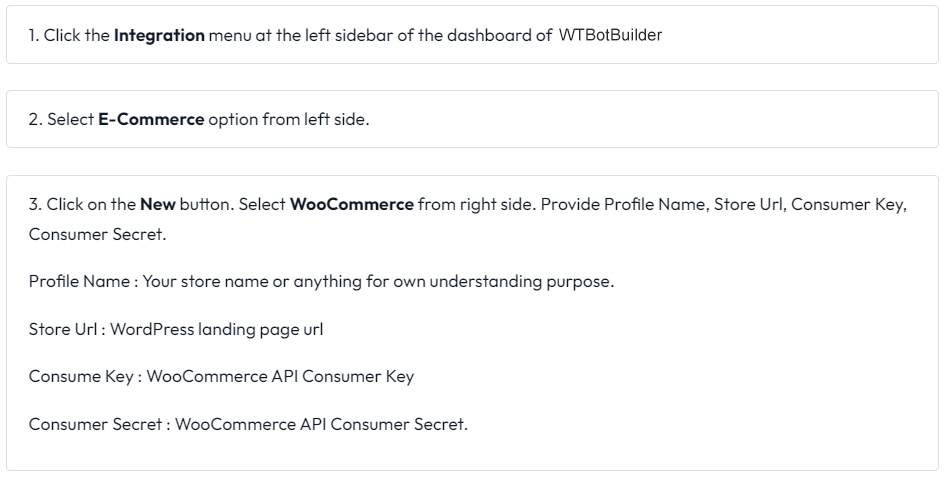
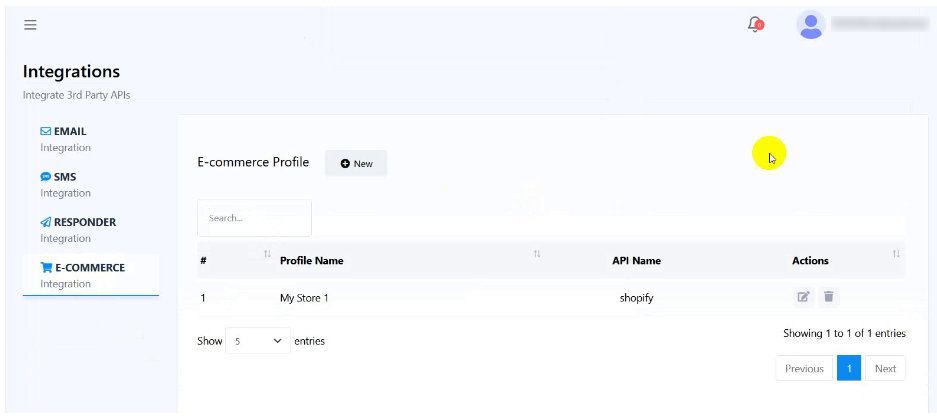
To integrate WooCommerce with WTBotbuilder follow below steps inside WTBotbuilder Account :
To create WooCommerce REST API and get Consumer key & Consumer secret follow below steps :
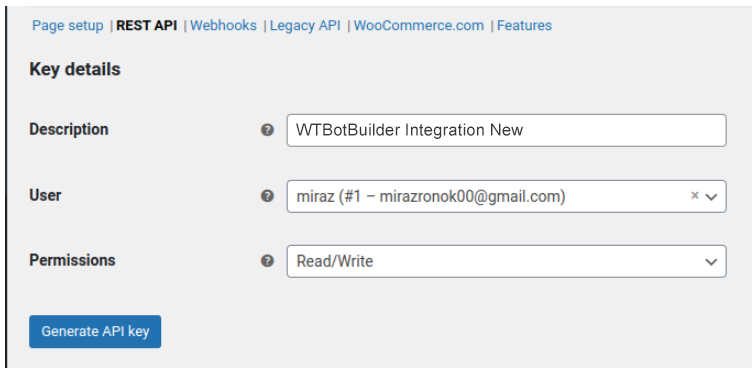
Click on WooCommerce settings. Then click on Advance tab-> Rest API -> Add key.
Provide Description, User, Permissions (Read/Write)
Then click on the Generate API Key button.
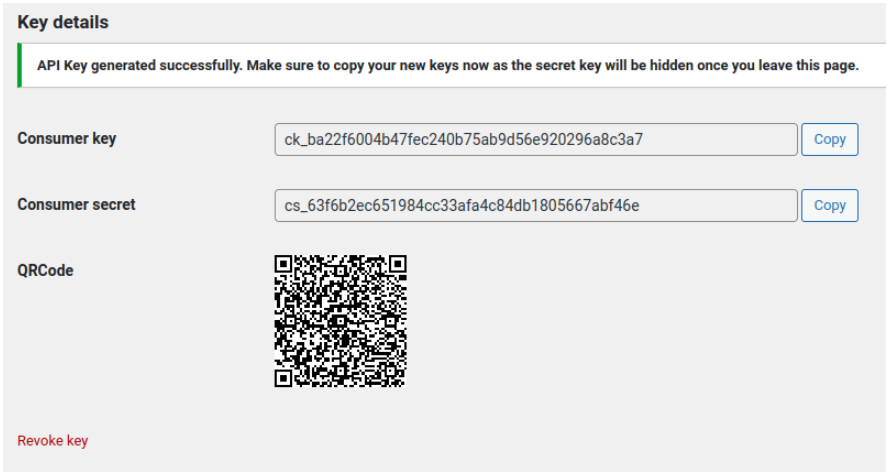
Now copy the Consumer key and Consumer Secret and paste them into the Consumer key and Consumer Secret fields respectively in WTBotbuilder.
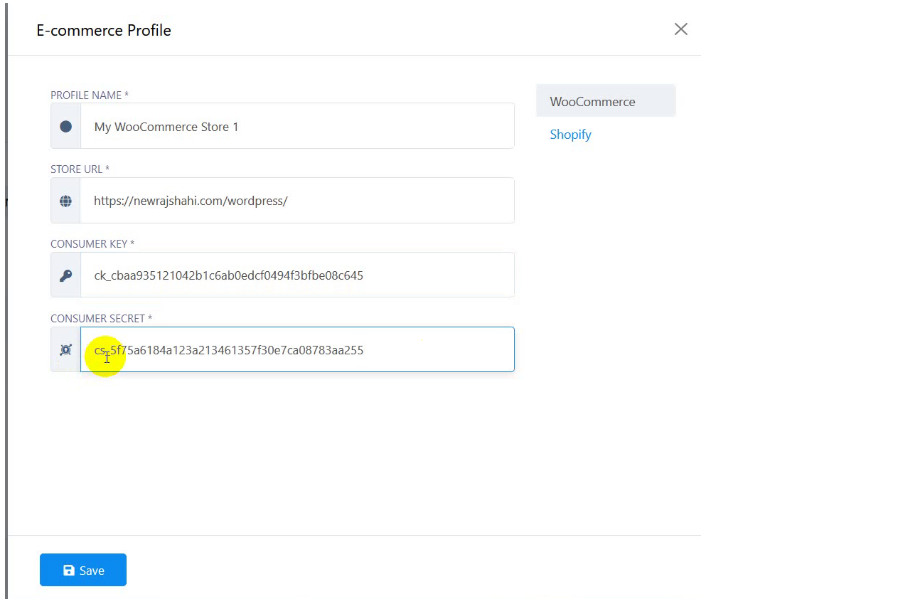
Then click on the save button. Instantly, a successful message will appear.
That is, WooCommerce has been integrated with WTBotbuilder.
Thank you for reading the article.