
Are you running an online store and looking for ways to enhance your customer engagement and increase sales? If yes, then integrating Shopify with WhatsApp automation can be a game-changer for your business. By leveraging the power of WhatsApp, you can recover abandoned carts, send order notifications, and even verify Cash on Delivery orders in real-time.
But how do you go about integrating Shopify with WhatsApp? Well, the answer lies in using WTBotbuilder, an AI-powered chatbot platform that can help you automate your WhatsApp communication with customers. In this blog, we will guide you through the steps you need to follow to integrate Shopify with WTBotbuilder and automate your WhatsApp communication like a pro.
So, sit back and relax as we take you through the step-by-step process of integrating Shopify with WTBotbuilder for WhatsApp automation.
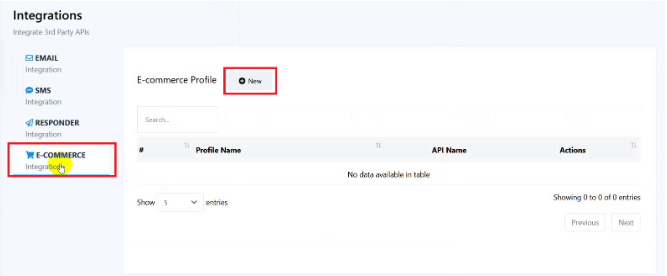
1. Click on the Integration menu at the left sidebar of the dashboard
2. Select E-commerce option from the left side.
3. Click on the New button. Select Shopify from the right side. Provide Profile Name, Store Sub Domain and Admin Access Token.
Profile Name : Your store name or anything for own understanding purpose
Store Sub-Domain: The sub domain of your Shopify store.
Admin Access Token: The admin access token of your store. Details are bellow about how to get the Admin Access Token.
How to Create Shopify App and get Admin Access Token :
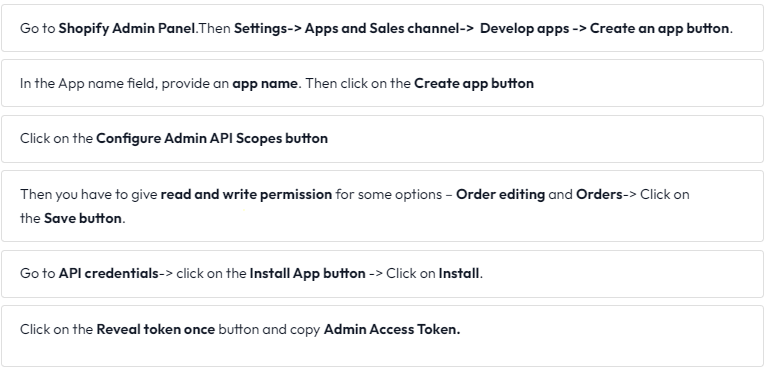

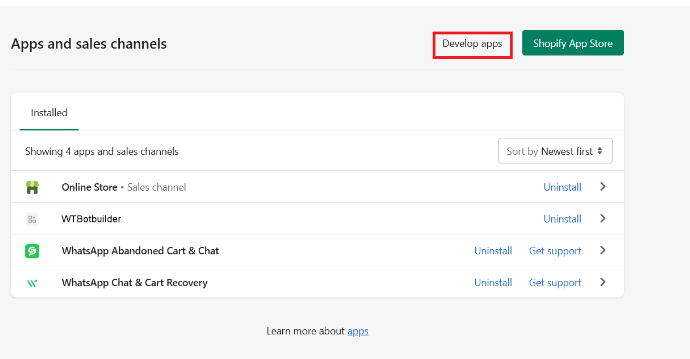

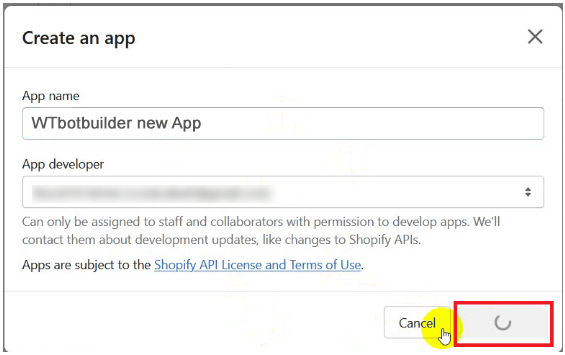


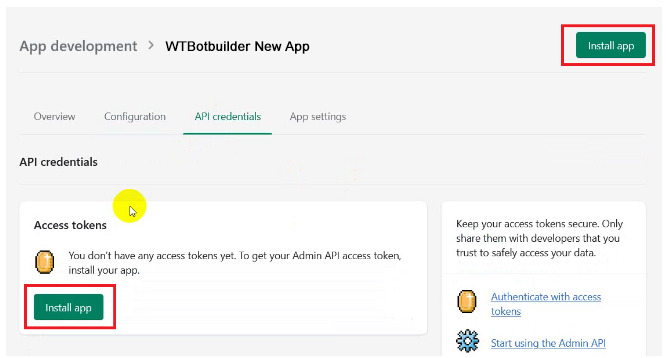

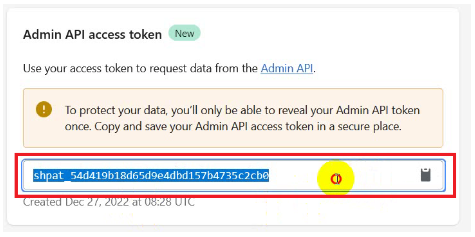
Follow The steps below:

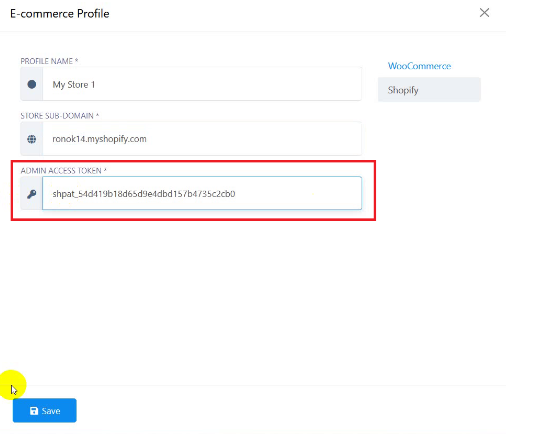
You can edit and delete the Ecommerce Profile.
This is how we can integrate Shopify with WTBotbuilder.
Well, now you can use the profile in Webhook workflow and other purposes in Shopify.